Our first post covers five essential steps for improving your site today. After auditing and acknowledging what site improvements you'd like to make, we can implement simple design strategies to strengthen high-level creativity and content to showcase to customers. Lastly, you or your team can go a step further and upgrade your call-to-action (CTA) to improve the ease of a customer's experience when shopping or browsing your site.
Hello and welcome to the Zippy Blog! We share thoughts and insights about website design, development, and the future of the web! For our first week, we’re focusing on how you can improve your site right now. So, let’s get into it; How can you improve your site today?
Improve your site today by:
Auditing Your Website
Cleaning or Updating Design
Optimizing Website content
Upgrade Call-to-actions
Improving Customer Experience
1. Auditing Your Website
Why should you audit your website?
Although many site redesigns start with a conversation about the aesthetics or design of a site, this starting point has its issues. When we audit a website, the first items we should pinpoint are areas that impact a site’s performance. These items hurt a site’s SEO (Search Engine Optimization) more than the design of a site. Therefore, we need to audit a website to look “under the hood” and analyze what areas of our site require the most significant improvement. When we create an audit based on data rather than creative ability, it allows us to focus directly on the primary issues before discussing a site’s design direction.
What to look for when auditing?
Now that we have established that we are not yet noting design improvements, we can start focusing on the functional elements that impact your site's performance. When auditing your site, you'll want to look into the following areas:
Site Load Time
How long does it take your site to load? Do you have to wait a while before any content is presented?
Easy Site Experience
How easy is it to check out a product? How many times do I need to click before submitting a purchase or form?
Content Load
How many images or large headings do you have on a given page? Do these items seem to "lag" into place?
Search Engines
Can I find my site with a quick incognito Google Search? If I asked a random person on the street to search my business, how long would it take them to find the site?
How to audit your site - for free
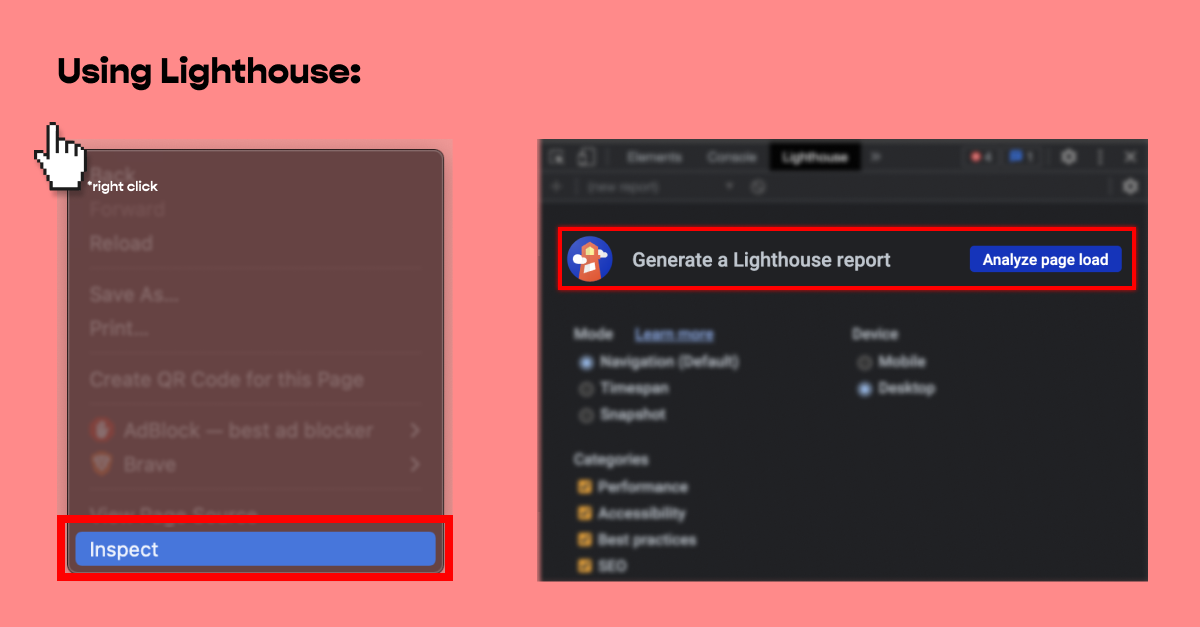
Another primary reason to audit your website is for Google search ranking. When choosing an audit tool, one of the quickest (and cheapest) ways to get started is using Google Lighthouse. Lighthouse is an open-source tool that audits web page performance, accessibility, and search engine optimization. Lighthouse is included, for free, within web browsers like Chrome and Brave.
How to use Google Lighthouse:
Download Chrome/ Brave
Open your website in an incognito or private window
Using a “standard” tab can cause Lighthouse to capture incorrect load times due to open tabs, plug-ins, etc.
Right-click anywhere on your page
Click the right double-arrow icon
Find "Lighthouse"
Note the "opportunities" by clicking the drop-down
Auditing a site's design
We've covered analyzing a site's functionality and why it's vital. Now, what about the fun, creative stuff? That's just as important too! When auditing a site's creativity or design, it's essential to remember that a personal style or artistic style might influence a single point of view. Therefore, we recommend imagining yourself as one of your customers; do you think your customer would be impressed by the site's design with a glance of the homepage?
Another way to analyze a site's design is to search your competitor's sites. What makes their site different? Do you think they present their content well? What could be improved? Use the answer to these questions to influence your design audit!
2. Cleaning or Updating Design
Now that we've covered how to audit your site's design, how can you quickly update the design without needing to hire a designer? Depending on your knowledge of the site's hosting platform (Webflow, WordPress, Shopify, etc.), some design updates may require more time than others. However, even with limited knowledge, updating items like text, color, and image should remain relatively simple.
Quick design fixes could include the following:
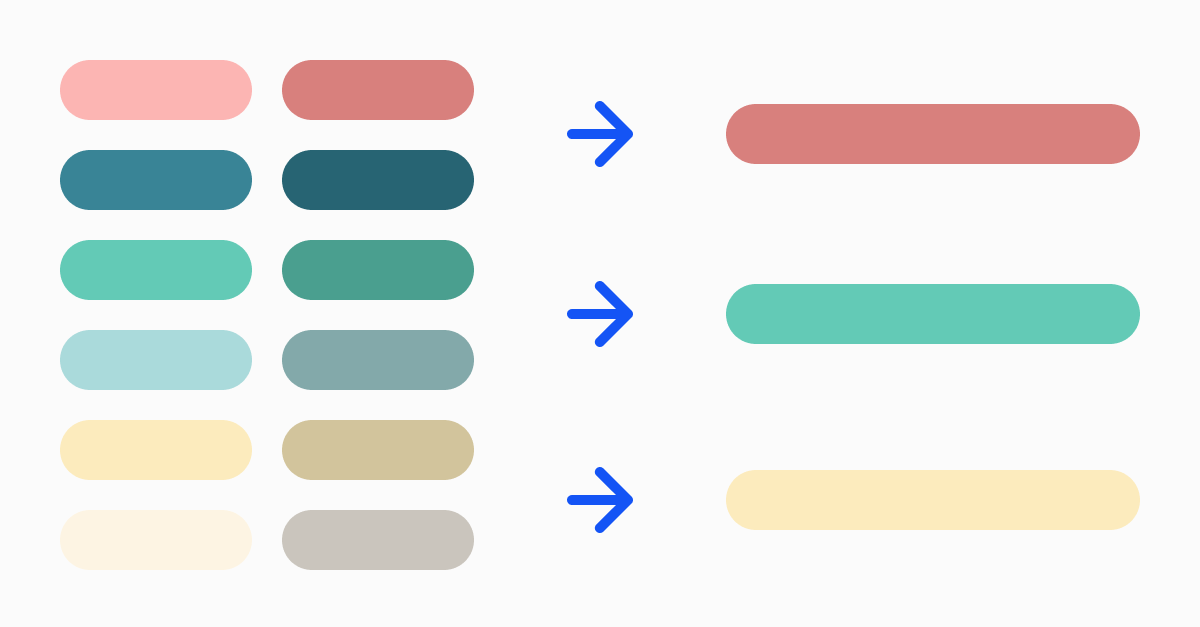
Ensuring color consistency
Do you use the same color palette throughout your entire site? Do these colors match your product or service offering design?
Updating copy and text
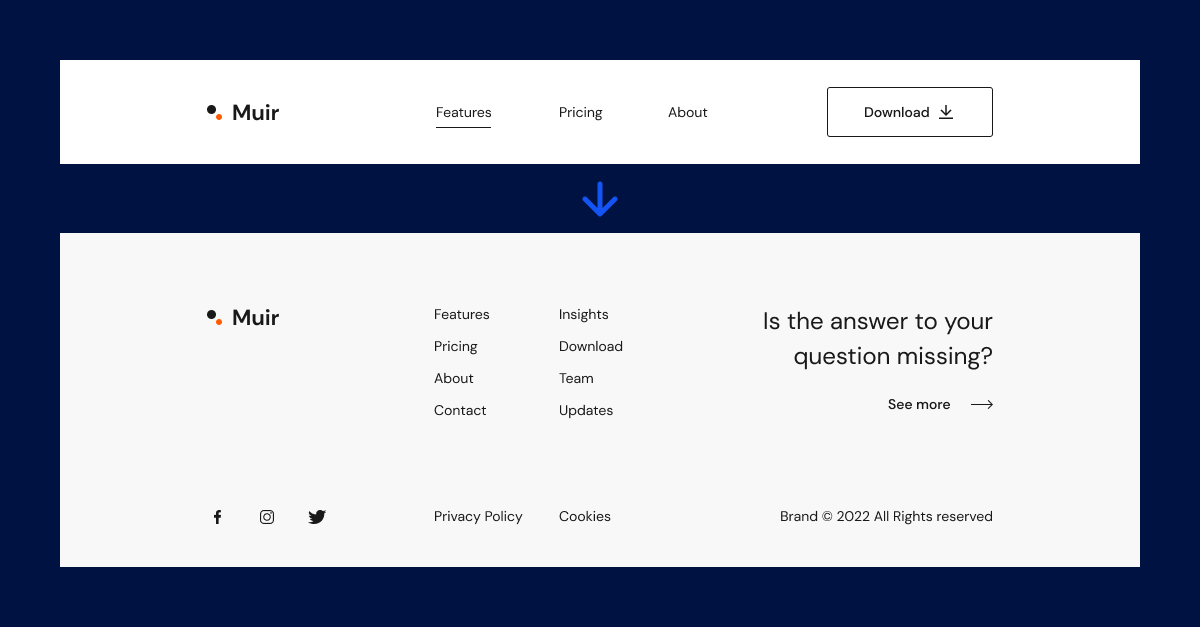
Does your site contain any typos? Are all your page headings or titles evident to your customer? Is your font easy to read on a phone?
Increasing or subtracting images
How many images do you have on your page? Are all of the pictures necessary to get your point across? Is your image small enough that you can view it easily on the phone?
3. Optimizing Website Content
Similar to your site's design, your site content needs to be optimized for new people visiting your site. A site's content comes in many forms; however, we're focusing on the site's product photography, descriptions, and ease of viewing.
How do you optimize your content quickly?
Analyze Keywords
We have all written or read a lengthy product description, and if we're being honest, we never really read them thoroughly. An explanation should be short and to the point of your product offering. When writing a product description, be sure to include a list of specific items that your product contains. Thus, outline key features for your customer and Google!
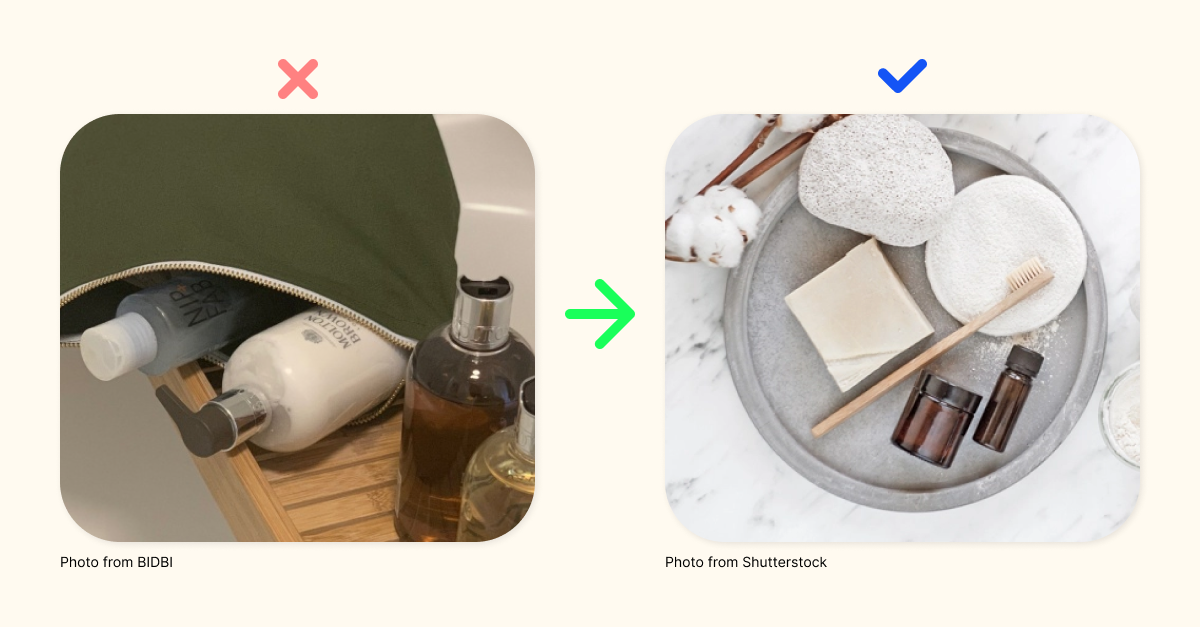
Updating Product Photography
You might be asking yourself, what is a product photographer's cost nowadays? Before searching for a photographer, remember that you most likely have a smartphone with a camera that is perfect for quick product photography. Please do not be overly concerned with the quality of the photo; the more significant the image size, the more time it will take your site to load; therefore, the smaller the file size, the better.
Ease Of Viewing
When looking at your product web page, what's the first, second, and third thing you notice? Are all these elements the most important to the user? Ensure that your product details are clear and concise for your customer to view.
4. Upgrade Call-to-actions
What is a Call-To-Action or CTA?
Wikipedia defines Call-To-Action as a "reference to the use of words or phrases that we can incorporate into sales scripts, advertising messages, or web pages, which compel an audience to act in a specific way." For example, many CTAs come from a button, phone number, email, etc.
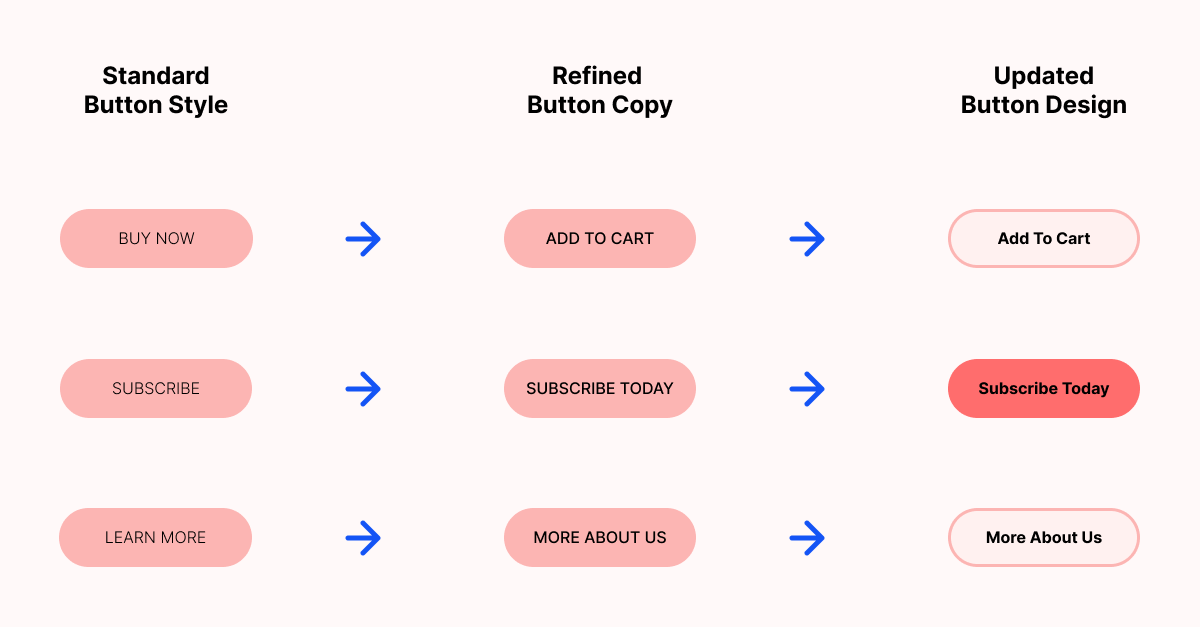
Upgrading your CTAs can be an easy and effective way to improve your site today. Simply replacing a button's text with a more straightforward title will significantly enhance the chance a customer will continue to explore more. (example of refining your button's writing below.)
It's best practice to ensure that your CTA is within the top three items that someone will first notice when landing on your page. To ensure this practice, editing a button's color (high contrast, inverted background color, bright/ light color) or sizing (more extensive, more prolonged, or below specific content) can also help improve a person's likeness to click.
5. Improving Customer Experience
To wrap up, let's discuss quickly improving your customer's experience. To summarize this topic, we're taking all the insights presented above and applying them across your entire site. Consistency is critical for a transparent user experience, and the most significant first step you can take to improve customer engagement is to make sure all of your design elements are the same. There is an existing theory that the more your user thinks about their following action, the less likely they will complete a purchase.
Customer Experience best practices:
Consistency
Do all your buttons match? Do your header and footer contain the same links? Are the same presented styles match regardless of what page you are viewing?
Responsiveness
Does your site look the same on a phone and a desktop PC? Can you scale a browser window effectively?
Functionality
Can you get from your site's homepage to checkout within three clicks? How hard is someone working to find your CTA?
Searchability
Not to be confused with SEO (search), but your site itself; can someone search for a product or offer?
To summarize:
We covered five essential steps for improving your site today. After auditing and acknowledging what site improvements you'd like to make, we can implement simple design strategies to strengthen high-level creativity and content to showcase to customers. Lastly, you or your team can go a step further and upgrade your call-to-action (CTA) to improve the ease of a customer's experience when shopping or browsing your site.
If you found this blog helpful, please consider signing up to get notified when we post more content! Thank you for taking the time to view our insights.